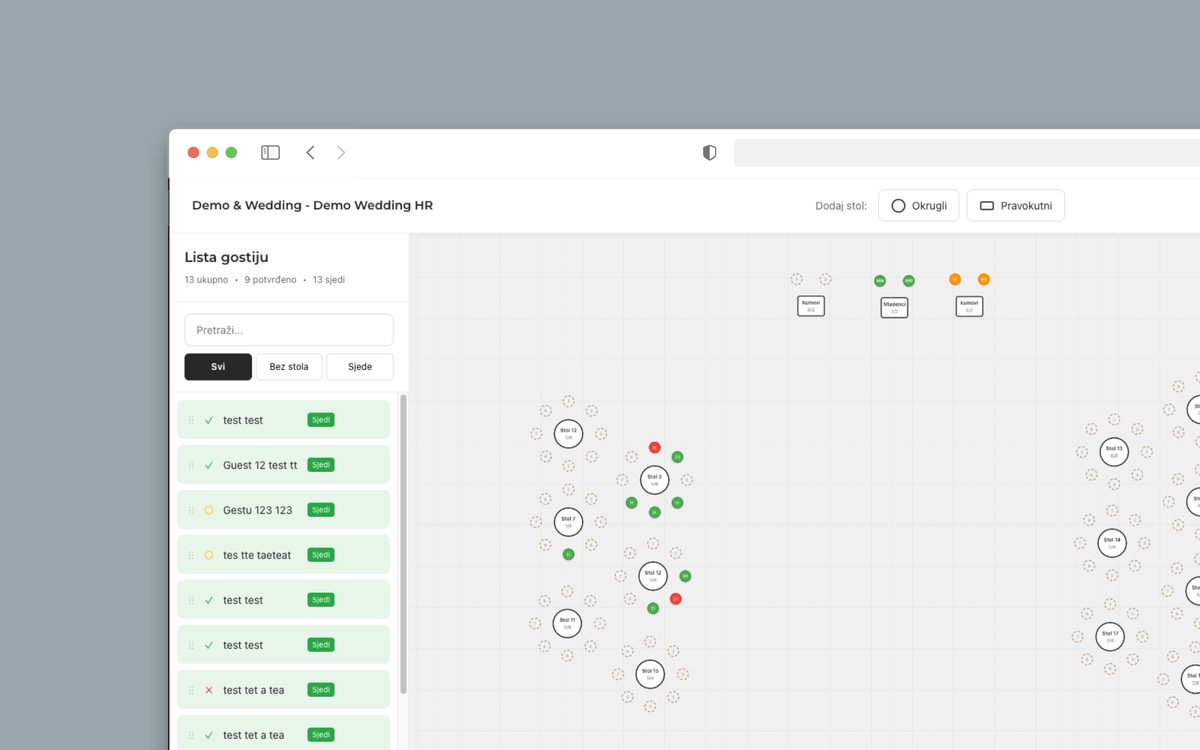
Few tasks in wedding preparation get postponed like the seating chart. The reason is not complexity, but that it touches family dynamics nobody wants to discuss openly.
The good news: with the right order of steps, this is one afternoon of work.
First rule: do not start before the final number
The biggest mistake is building the chart while RSVPs are still arriving. Every change collapses half of what you built, so you end up doing the same work three times.
Wait until the number is final, then sit down to it. If you genuinely must start earlier, work with rough groups rather than names.
The order of steps
- Draw the floor plan with the real table layout, including where the stage, the bar and the doors are.
- Set the top table and what surrounds it.
- Split guests into groups: bride family, groom family, friends, colleagues, neighbors.
- Place groups on tables first, and only then individuals within each table.
- Finally check the edge cases — who is sitting alone, who is too far away, who is right next to a speaker.
Practical rules that save your nerves
- Seat older relatives away from the speakers and closer to the exit.
- Put families with small children near the door, so they can step out without crossing the whole room.
- Every table needs at least one person who connects the others and starts conversations.
- Do not build a table entirely out of guests who do not know each other.
- Place estranged family members so they are not staring at each other across a table all night.
- Leave one seat spare. Someone always turns up, and someone always cancels.
Awkward situations
Divorced parents, relatives who fell out, former partners in the same friend group — every wedding has at least one of these.
The rule is simple: physical distance, but not isolation. Seat them at different tables with good company, not in opposite corners where they will feel pushed aside. And do not try to reconcile anyone through the seating chart — that is not its job.
Why a spreadsheet does not help here
A seating chart is a spatial problem, and a spreadsheet is a list. While you stare at columns of names, you cannot see what matters: who has their back to the stage, which table is empty and which is overcrowded.
A visual planner shows the actual floor plan. You drag guests onto tables and see the change immediately. No spreadsheets, no chaos.
Wedding Planner is included in the Exclusive package, and you can try it before deciding — the demo opens with PIN 12345678. It works the same on a laptop and on a phone, so you can adjust the chart while standing in a queue.