A wedding photo sharing app for your guests
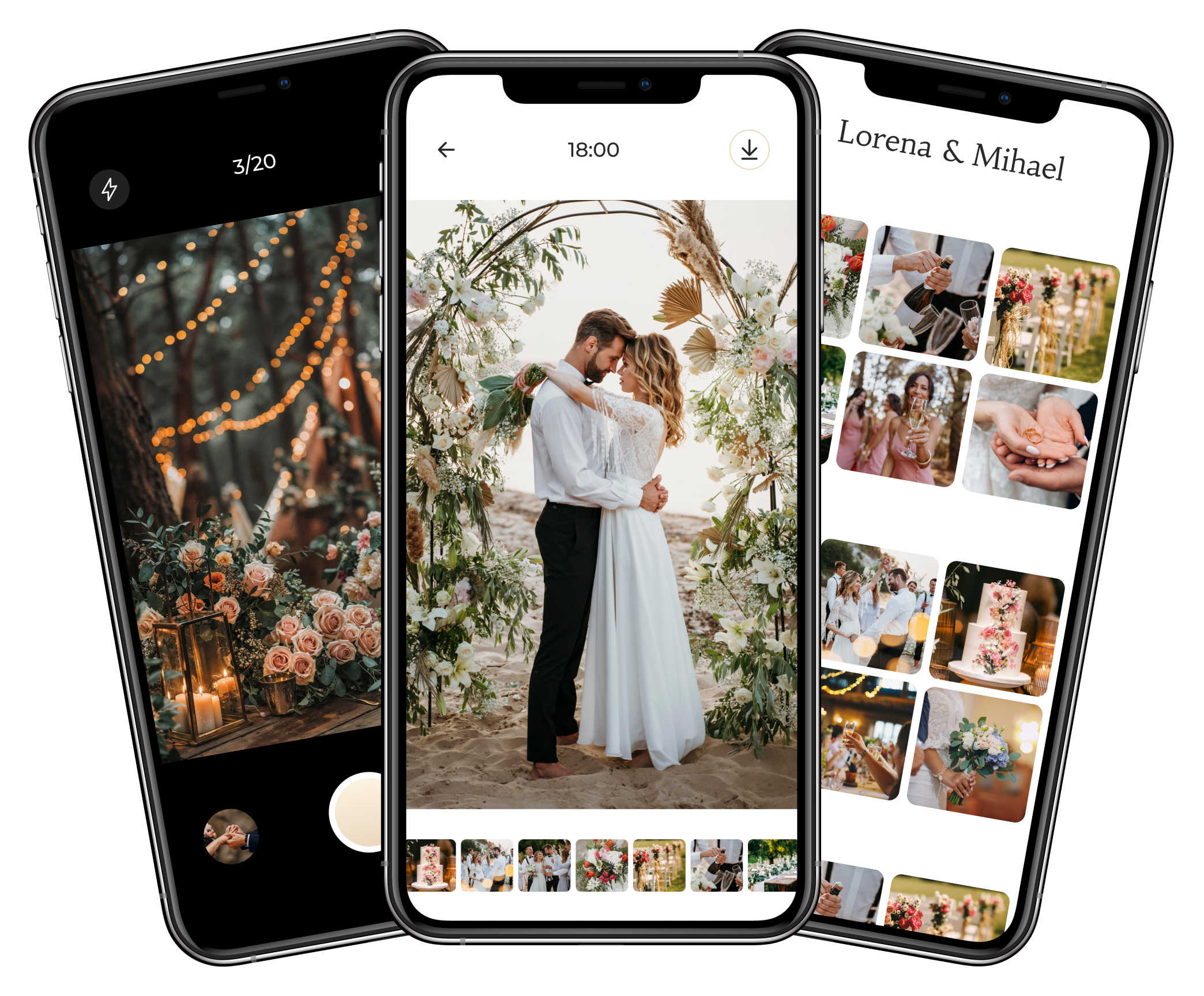
From the first toast to the last dance, your guests capture moments you want to keep. Wedding Camera brings their phones together in one shared gallery: they take photos in the app or add pictures from their devices.
- iPhone and Android
- No guest accounts
- Access with a PIN
How do guests use the app?
Scan the QR code and download the app
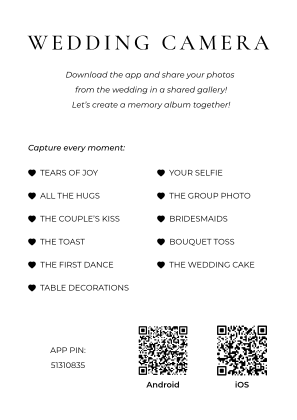
The QR code on your leaflet leads to the Wedding Camera download. The app is available for iPhone and Android, so guests on both platforms contribute to the same album.
Enter the wedding PIN
The PIN is printed on the leaflet you share with guests. It gives them access to your wedding without creating a user account.
Take photos or add existing pictures
Guests can take photos directly in the app or choose pictures from their phone gallery. Photos are collected in one place instead of separate messages to the couple.
What comes with the app?
A shared album starts with preparation before the celebration. The couple chooses a package, and guests get clear instructions on how to take part.
A leaflet with your QR code and PIN
After purchase, you receive your wedding details and a print-ready leaflet by email. Place it on the tables so guests know where to share their photos.
The wedding day and the day after
Photo uploads are active for 48 hours in total: your wedding day and the following day. Guest numbers and the photo allowance per guest depend on your package.
An online gallery for the couple
After the wedding, we prepare your online gallery and email you a link when it is ready. Browse and download the photos for your own collection of memories.
Download Wedding Camera
Already have the couple’s PIN? Download the app for your phone and enter it when the app opens. If you are choosing a service for your own wedding, explore the demo first.


Questions about the wedding photo app
Do guests need to install an app?
Yes. The QR code leads to the Wedding Camera download. After installing the app, guests enter the wedding PIN; they do not need to create a user account.
Can iPhone and Android guests share the same album?
Yes. Guests use Wedding Camera for their device and the same wedding PIN. Photos from both platforms are collected in one shared gallery.
Can guests add photos already taken on their phones?
Yes. Alongside taking photos in the app, guests can add existing pictures from their phone gallery while the wedding is active, within the selected package’s limits.
Where do we get the QR code and how much does it cost?
The couple chooses a package on the pricing page. After purchase, they receive the wedding details and a print-ready leaflet with a QR code and PIN by email. Current prices and included features are listed with each package.